Tools: Free Til: Apple Broke Time Machine Again On Tahoe 2026
Today, after a minor disaster with my Obsidian vault, I decided to restore from Time Machine, and… I realized that it had silently broken across both my Tahoe machines. I use a Synology NAS as Time Machine target, exporting the share over SMB and that has worked flawlessly for years, but this came as a surprise because I could have sworn it was working fine a couple of months ago–but no, it wasn’t.
After some research, I found out that the issue is with Apple’s unilateral decision to change their SMB defaults (without apparently notifying anyone), and came across a few possible fixes.
I found this gist, which I am reproducing here for posterity, that seems to be working for me, but which entails editing the nsmb.conf file on the Mac itself–which is not exactly ideal, since I’m pretty sure Apple will break this again in the future.
…and adding the following lines (the file should be empty):
The explanation here is that macOS Tahoe changed the default from signing_required=no to stricter control, and NAS devices with relaxed SMB settings cannot handle this without explicit configuration.
Another common pitfall is name encoding issues in machine names, so you should remove Non-ASCII Characters from the .sparsebundle name (that wasn’t an issue for me, but YMMV).
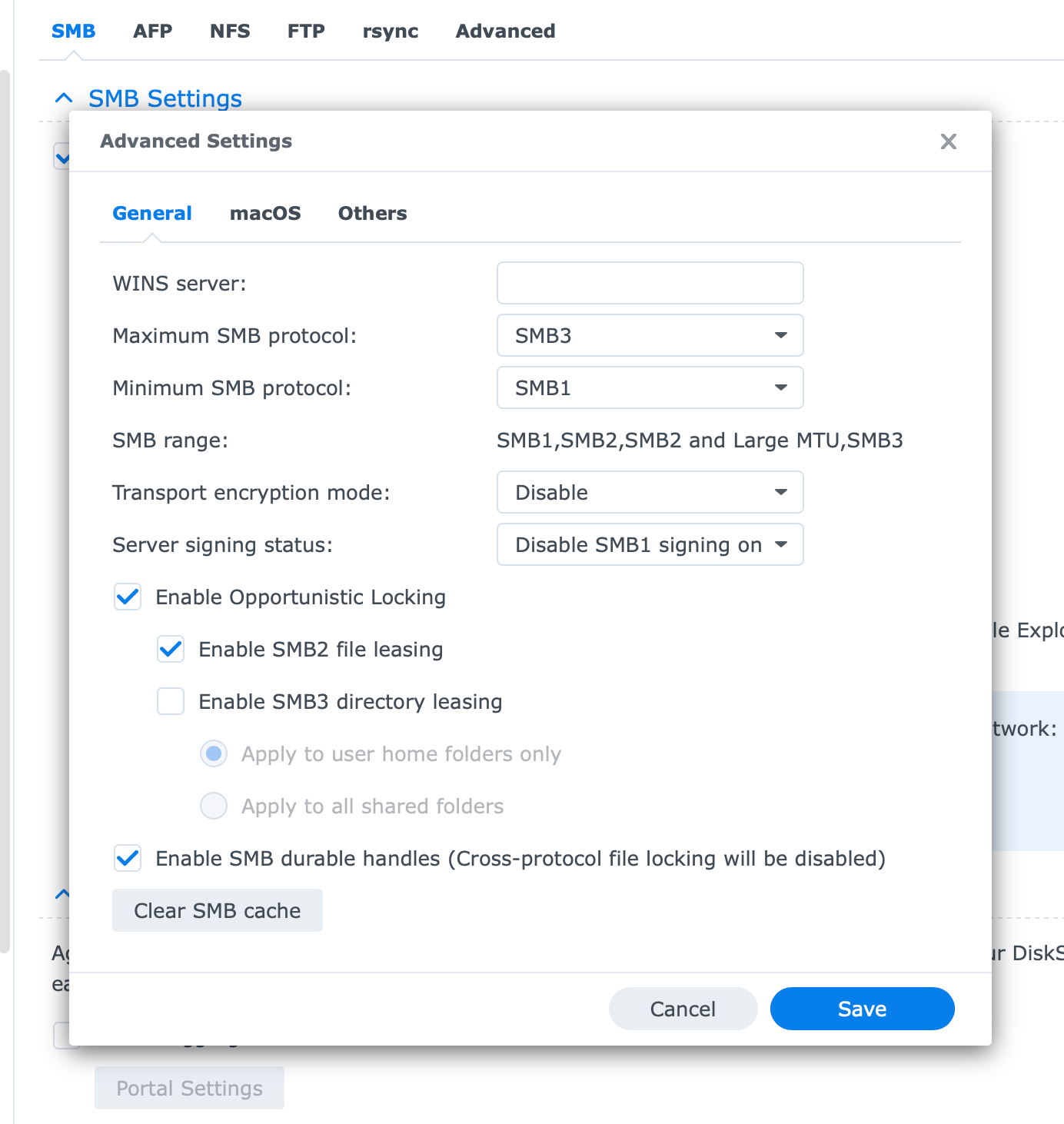
On the Synology side, the recommendation was to go to Control Panel > File Services > SMB > Advanced and set:
That doesn’t quite match my DSM UI, but it’s close enough, and my settings now look like this:
Since I’m tired of Apple breaking Time Machine every few years and the lack of transparency around this (it’s not Synology’s fault), I have decided to implement a more robust solution that doesn’t depend on Synology’s SMB implementation.
I already have a Proxmox server with ZFS as the backend storage that has an LXC container running Samba for general file sharing, so I decided to look into that as a possible Time Machine target.
Source: HackerNews
