How Gyro Support Was Added To The New Steam Controller Is A...
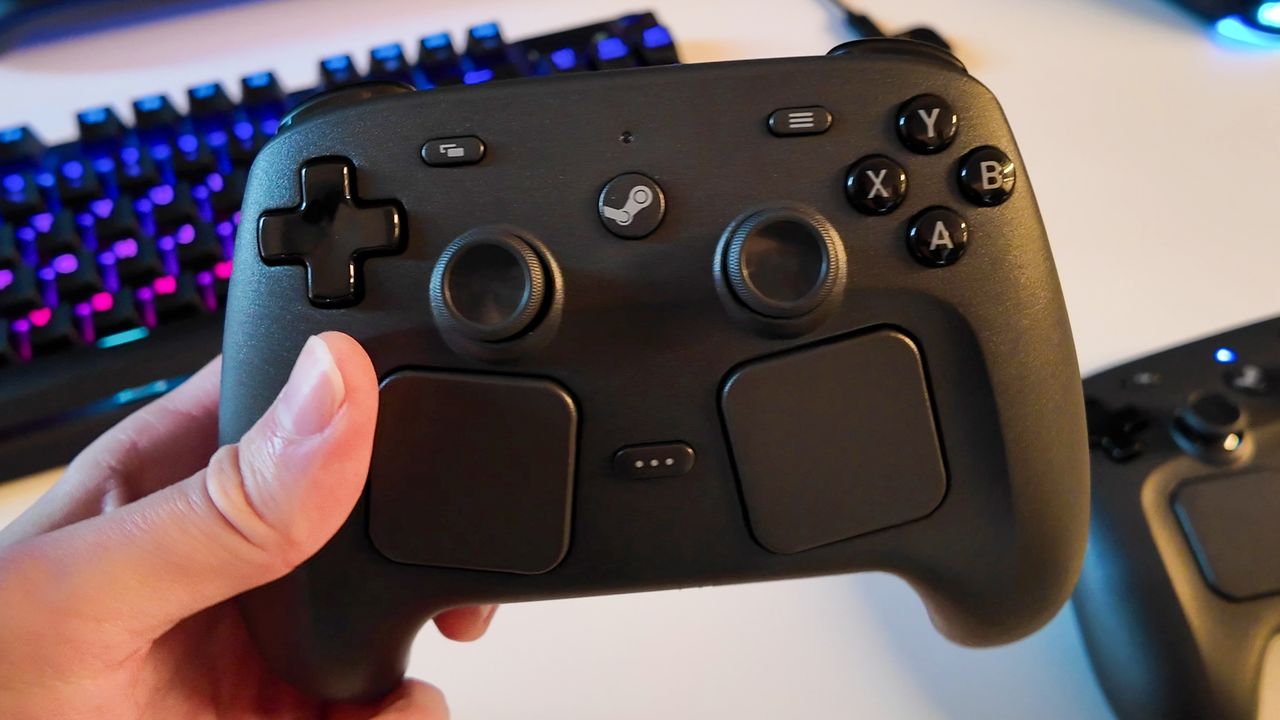
Valve has packed the new Steam Controller with multiple ways to control a PC game from the comfort of your sofa. It has standard thumbsticks (phew), a pair of trackpads, and gyro controls. Three for the price of… well, we don't know the price of the Steam Controller yet. Though I hadn't considered gyro controls for my gaming PC prior to actually using the Steam Controller, and turns out, neither had most of Valve.
"So, there's a whole community of gamers who really are into gyro aiming," Steve Cardinali, a Valve engineer working across the Steam Controller and Steam Frame Controllers, says.
Cardinali is not the person primarily responsible for adding gyro controls. Cardinali explains it as a "typical Valve story", involving one passionate Valve employee that just had to get the feature into the design.
"There's a guy at Valve who's super into gyro and the gyro aim community," Cardinali says. "And when he heard we were working on the controller, he came downstairs and was like, 'you guys got to add some kind of grip sense for gyro'.
"He came and moved his desk down by us and sat with us for like, six, eight months or something, and helped us figure it out because he's really in that community. He helped us lay it all out, figure out how it could best help them, and then just recently, he helped do a bunch of software work to help optimise it for us."
Steam Frame: Valve's new wireless VR headsetSteam Machine: Compact living room gaming boxSteam Controller: A controller to replace your mouse
The entire Steam Controller becomes an input with gyro controls, similar to Nintendo's Joy-Cons. I'm told there are many ways to use gyro controls on PC—Cardinali notes that Steam Input lets you map the gyro to whatever you like—and I'm offered to test the Steam Controller's capabilities in a game of Balatro. I'm tilting and aiming the controller to move the mouse cursor here. It's pretty accurate, more so than thumbsticks, and as I said to Cardinali at the time, you get used to it pretty quickly.
The gyro controls also offer a grip sensing feature, which turns on the gyro when you're holding the controller, and disables it when it's released. It also can be used to recenter the gyro. This might prove an important feature if you're barrelling towards the ground in a fighter jet in Battlefield 6 due to dropping your Controller.
Keep up to date with the most important stories and the best deals, as picked by the PC Gamer team.
Though it's an interesting glimpse beh
Source: PC Gamer