Tools
Multi-Container Web Application with Nginx Reverse Proxy and Docker Compose
2025-12-20
0 views
admin

🚀 What This Project Demonstrates ## 🧱 Architecture Overview ## 📁 Project Structure ## ⚙️ Technologies Used ## 🛠 How to Run the Project Locally ## Prerequisites This project demonstrates a production-style multi-container architecture using Docker Compose, where a Node.js application is deployed behind an Nginx reverse proxy. The goal of this project is to showcase real DevOps patterns, not single-container demos. Client (Browser)
|
v
Nginx (public, port 8080)
|
v
Node.js App (private, port 5000) project-2-multicontainer/
├── app/
│ ├── Dockerfile
│ ├── index.js
│ ├── package.json
│ └── package-lock.json
├── nginx/
│ └── nginx.conf
├── docker-compose.yml
└── README.md docker compose up --build Templates let you quickly answer FAQs or store snippets for re-use. Are you sure you want to hide this comment? It will become hidden in your post, but will still be visible via the comment's permalink. Hide child comments as well For further actions, you may consider blocking this person and/or reporting abuse COMMAND_BLOCK:
git clone https://github.com/dr-musa-bala/project-2-multicontainer.git
cd project-2-multicontainer 2. **Build and start the containers**: Enter fullscreen mode Exit fullscreen mode COMMAND_BLOCK:
git clone https://github.com/dr-musa-bala/project-2-multicontainer.git
cd project-2-multicontainer 2. **Build and start the containers**: COMMAND_BLOCK:
git clone https://github.com/dr-musa-bala/project-2-multicontainer.git
cd project-2-multicontainer 2. **Build and start the containers**: CODE_BLOCK:
3. Open your browser: Open your browser: Enter fullscreen mode Exit fullscreen mode CODE_BLOCK:
3. Open your browser: Open your browser: CODE_BLOCK:
3. Open your browser: Open your browser: CODE_BLOCK:
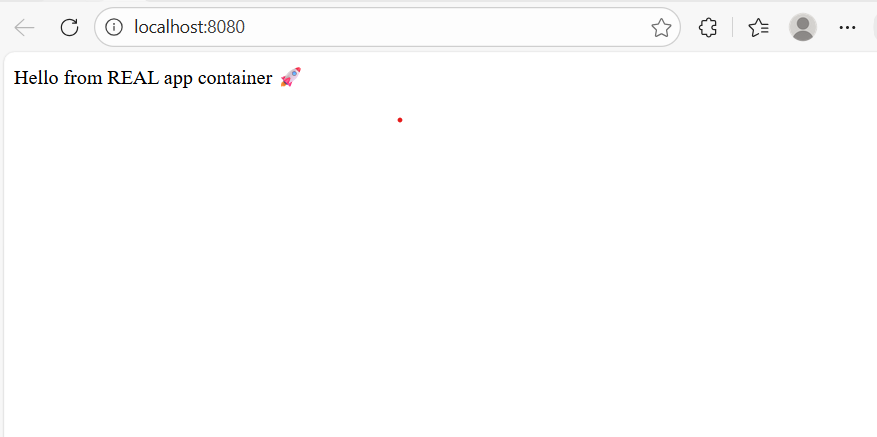 🔒 **Security & Production Considerations** The application container does not expose any ports to the host All external traffic is handled by **Nginx** This mirrors how applications are deployed in real production environments 💡 **Why This Matters (DevOps Perspective)** This project reflects how modern DevOps teams: - Isolate application services
- Control ingress traffic via reverse proxies
- Use declarative configuration for reproducibility
- Build systems that are easy to extend into CI/CD pipelines 🔜 **Next Improvements** - Add CI/CD with GitHub Actions
- Push application images to Docker Hub
- Deploy the stack to AWS EC2
- Implement zero-downtime updates
- Add HTTPS with Let’s Encrypt Enter fullscreen mode Exit fullscreen mode CODE_BLOCK:
 🔒 **Security & Production Considerations** The application container does not expose any ports to the host All external traffic is handled by **Nginx** This mirrors how applications are deployed in real production environments 💡 **Why This Matters (DevOps Perspective)** This project reflects how modern DevOps teams: - Isolate application services
- Control ingress traffic via reverse proxies
- Use declarative configuration for reproducibility
- Build systems that are easy to extend into CI/CD pipelines 🔜 **Next Improvements** - Add CI/CD with GitHub Actions
- Push application images to Docker Hub
- Deploy the stack to AWS EC2
- Implement zero-downtime updates
- Add HTTPS with Let’s Encrypt CODE_BLOCK:
 🔒 **Security & Production Considerations** The application container does not expose any ports to the host All external traffic is handled by **Nginx** This mirrors how applications are deployed in real production environments 💡 **Why This Matters (DevOps Perspective)** This project reflects how modern DevOps teams: - Isolate application services
- Control ingress traffic via reverse proxies
- Use declarative configuration for reproducibility
- Build systems that are easy to extend into CI/CD pipelines 🔜 **Next Improvements** - Add CI/CD with GitHub Actions
- Push application images to Docker Hub
- Deploy the stack to AWS EC2
- Implement zero-downtime updates
- Add HTTPS with Let’s Encrypt - Multi-container application design
- Docker Compose for service orchestration
- Nginx as a reverse proxy
- Private application containers (not exposed to the internet)
- Service-to-service communication via Docker networking
- Clean separation between application and web server
- Production-ready container structure - Only Nginx is exposed to the host
- The Node.js app is accessible only inside the Docker network
- Containers communicate using service names, not IPs - Docker Compose (v2)
- Node.js (Express)
- Linux-based containers - Docker Desktop
- Docker Compose v2 - Clone the repository:
how-totutorialguidedev.toaimllinuxservernetworknetworkingnginxdockernodegitgithub