New Valve Release The Steam Frame: 'a New Way To Play Your Entire...
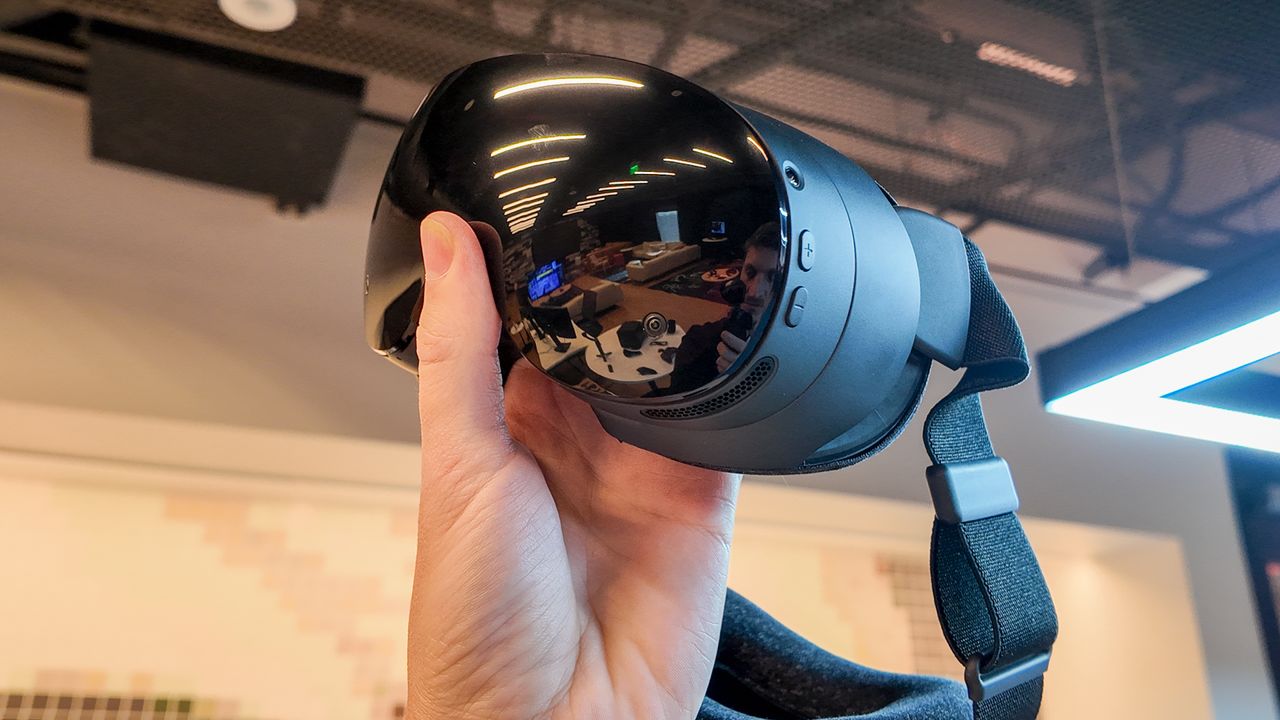
Wireless connectivity, improved optics, new controllers and a chip all of its own, the Steam Frame looks to be worth the wait.
Valve has announced a brand new VR headset. It's called the Steam Frame, and it's set to launch next year. While pricing is not yet confirmed, I've been to Valve HQ to try it out and get all the details. This isn't the Valve Index 2, it's something quite different, but it should still appeal to hardcore VR users and new users alike.
The Steam Frame is a standalone VR headset. It doesn't require a PC in order to play games or watch videos in VR. It doesn't need base stations or a cable, either. It's powered by SteamOS, Valve's own Linux distro used on the Steam Deck, and an Arm chip. So, what makes this a PCVR headset again?
"We see Steam Frame as a streaming first headset," Lawrence Yang, a designer at Valve, tells me.
Streaming in this context does not refer to cloud streaming or showcasing your skills on Twitch. Rather streaming means playing a game on a gaming PC and streaming it over to the Steam Frame via a wireless connection. So, you're streaming the game from one PC to another PC on your head, without using any cables.
The Steam Frame includes a wireless adapter that plugs in via USB to a host PC, which can be any PC capable of running Steam and playing VR games. This wireless adapter beams the game over a dedicated 6 GHz connection to the Steam Frame. Essentially, Valve intends for players to use the Steam Frame in the traditional sense of tethering to a gaming PC—just without the physical tether.
The Arm processor in the headset unlocks new capabilities, however. The Steam Frame is perfectly capable of running games all on its own. It uses clever software to play games developed for Windows and x86 on its Linux and Arm stack. It also natively supports games programmed for Arm, which many VR titles are designed for these days.
We see it just as a new way to play your entire Steam library.
So, it supports a bit of everything: standalone, PCVR, Linux, Windows, Arm, x86… though a user shouldn't have to be conscious of many, if any, of these technical divisions. You put the Steam Frame on, choose a game from your Steam library, VR or no, and play. The software takes care of the translation from one operating system or architecture to another—I'll explain those later.
Keep up to date with the most important stories and the best deals, as picked by the PC Gamer team.
Source: PC Gamer