Gaming: Nvidia Geforce Now Is Officially On Linux, And After Testing It I'm...
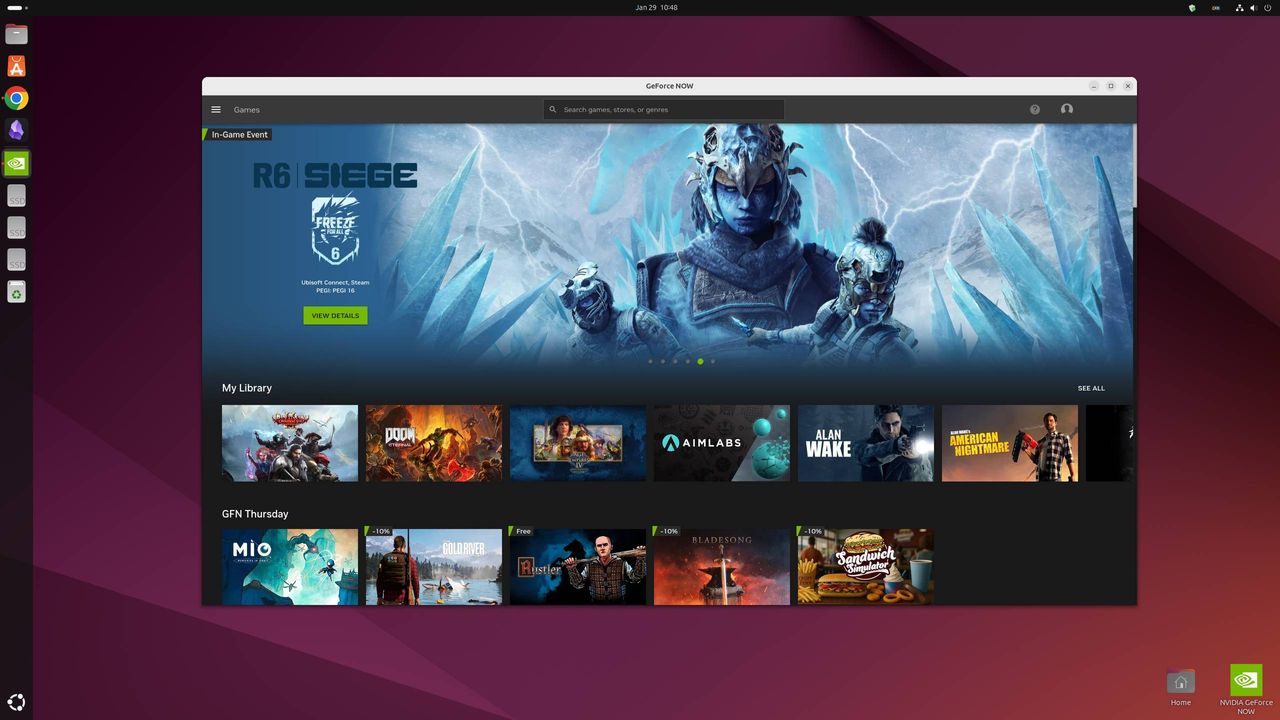
Linux has not traditionally been the home for gaming, but ever since SteamOS and Proton, it's drastically improved as a gaming platform. It still hasn't had quite the breadth of game support as Windows, though, and it's never had native client support for Nvidia GeForce Now (GFN) game streaming—until now, that is, as GFN has officially come to Linux. In beta, at least.
Before now, you'd have to either access it via the limited browser version, or use third-party apps, such as GeForce Infinity, but a native Linux client will unlock higher resolutions up to 5K, and higher frame rates, too.
I've been trying it out, and it works pretty flawlessly, provided you're on Ubuntu 24.04 LTS, have a GPU that supports Vulkan H.264 or H.264 decoding, and are using the correct driver. Unfortunately Ubuntu is the only officially supported distro for now, although Nvidia does want to bring it to further ones and is "actively evaluating" them.
The company did note that GFN might also currently work on other distros that support Flatpak installation—such as the popular Bazzite distro—but it's only officially recommending Ubuntu for now. To install it, first ensure you have the correct drivers installed—manually updating to 580.126.09 for Nvidia GPUs, though AMD drivers should be updated by the GFN Flatpak. Then you can download the Flatpak from the standard GeForce Now downloads page.
The only issue I encountered in my testing was when I tried out a newer Nvidia driver. Nvidia recommends the 580 driver for Nvidia cards, but I tried the latest 590. GFN simply refused to play ball with this, as you can see from the screenshot below. This is a little frustrating, as generally it's recommended you use the latest proprietary Nvidia drivers for gaming in Ubuntu outside of GFN.
I should say, there's a chance I simply messed up my version selection or driver installation, though, and that this was the reason it didn't work. The Terminal did tell me I was on the 590 driver, however.
At any rate, it works on Nvidia's recommended driver, and I'm sure before long it will just work, full-stop. It is in beta after all.
Keep up to date with the most important stories and the best deals, as picked by the PC Gamer team.
Performance-wise I've noticed no hiccups in-game, at least not compared to using GFN on Windows. I'm on a 500 MB wired connection, and I still notice a slight amount of input delay when using GFN compared to gaming natively. But I'm attuned to snappy competitive shoote
Source: PC Gamer