Open Source Generate Web Pages From Markdown With Docsify-this
Are you interested in leveraging Markdown for online content without any website setup or build process? How about seamlessly embedding constraint-free Markdown or HTML into multiple platforms (such as a content management system or learning management system)? The open source project Docsify-This, built with Docsify.js, provides an easy way to publish, share, and reuse Markdown content.
With Docsify-This, you can instantly turn any publicly available Markdown file into a responsive standalone web page. You can also link multiple Markdown files to create a simple website. Designers can alter the visual appearance of displayed pages with the point-and-click Web Page Builder interface or URL parameters. You can also use a set of provided Markdown CSS classes when creating your own Markdown content. In addition, if you use Codeberg or GitHub to store your Markdown files, an Edit this Page link can be automatically provided for each page to support collaborative authoring.
It's open source, so you can host a Docsify-This instance using your own custom domain without the risk of platform lock-in.
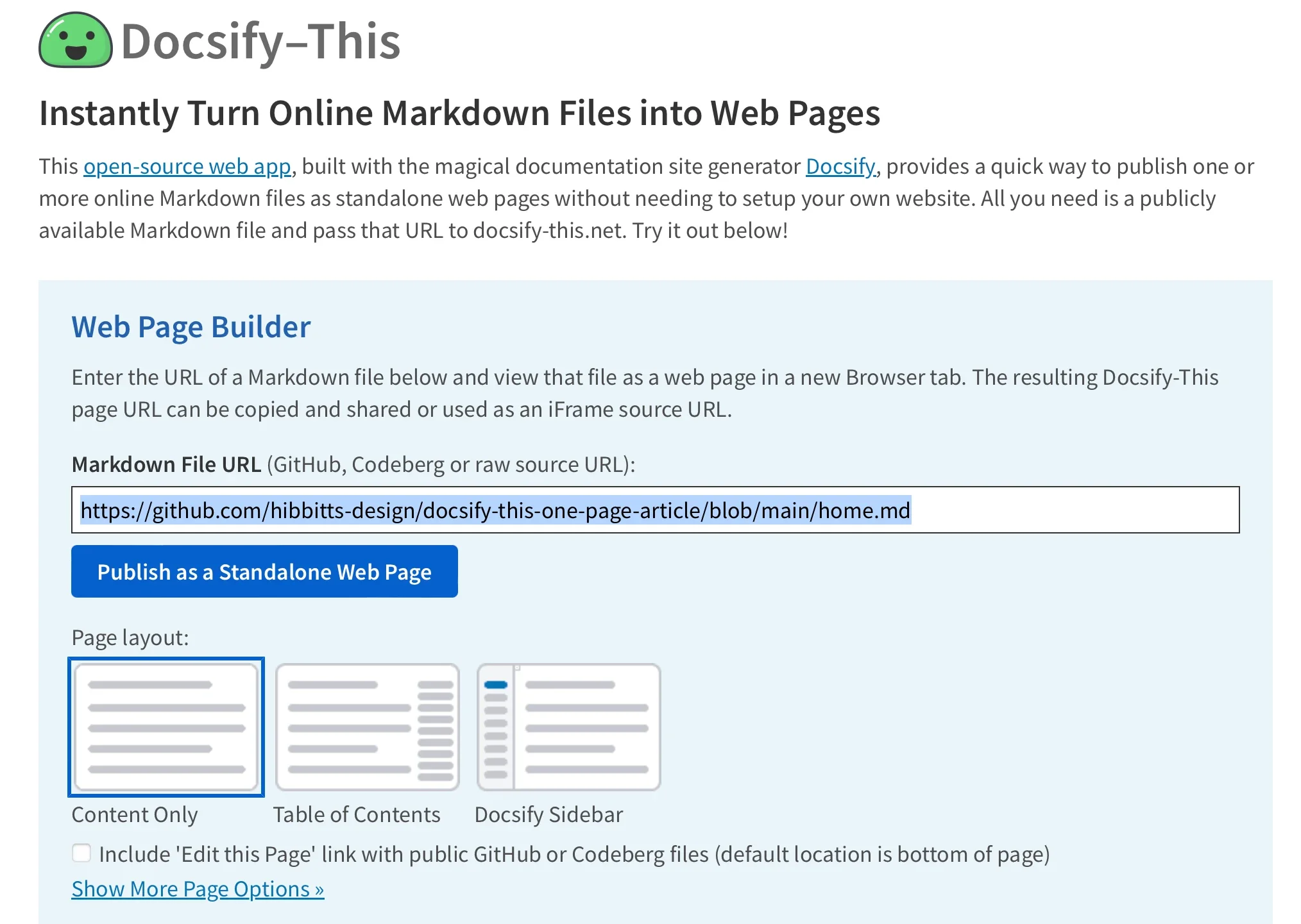
To use the Web Page Builder, open a browser and navigate to the Docsify-This website or your local instance. In the Web Page Builder section, enter the URL of a Markdown file in a public repo of Codeberg or GitHub (other Git hosts can also be used via Docsify-This URL parameters but not in the Web Page Builder), and then click the Publish as Standalone Web Page button.
The Markdown file is rendered as a standalone web page with a URL you can copy and share. Here's an example URL:
Docsify-This rendered web pages are perfect for embedding, with the ability to visually style Docsify-This pages to the destination platform.
You can render other Markdown files in the same repository by directly editing the Docsify-This URL parameter homepage. For example:
You can change the appearance of any Markdown file displayed in Docsify-This by using URL parameters. For example, font-family, font-size, link-color, and line-height are all common CSS attributes and are valid parameters for Docsify-This:
You can also alter the visual appearance using a set of special Markdown CSS classes. For example, you can add the button class to a link:
This produces a button image instead of just a text link:
Source: Opensource.com
