Open Source Test Your Drupal Website With Cypress
If you don't include tests in your Drupal development, chances are it's because you think it adds complexity and expense without benefit. Cypress is an open source tool with many benefits:
This article covers three topics to help you start testing your Drupal project using Cypress:
For the purposes of this tutorial I'm assuming that you have built a local dev environment for your Drupal project using the `drupal/recommended-project` project. Although details on creating such a project are outside of the scope of this piece, I recommend Getting Started with Lando and Drupal 9.
The cypress.io site has complete installation instructions for various environments. For this article, I installed Cypress using npm.
Initialize your project using the command npm init. Answer the questions that Node.js asks you, and then you will have a package.json file that looks something like this:
Because you haven't added a config or any scaffolding files to Cypress, the Cypress app displays the welcome screen to help you configure the project. To configure your project for E2E (end-to-end) testing, click the Not Configured button for E2E Testing. Cypress adds some files to your project:
Click Continue and choose your preferred browser for testing. Click Start E2E Testing in [your browser of choice]. I'm using a Chromium-based browser for this article.
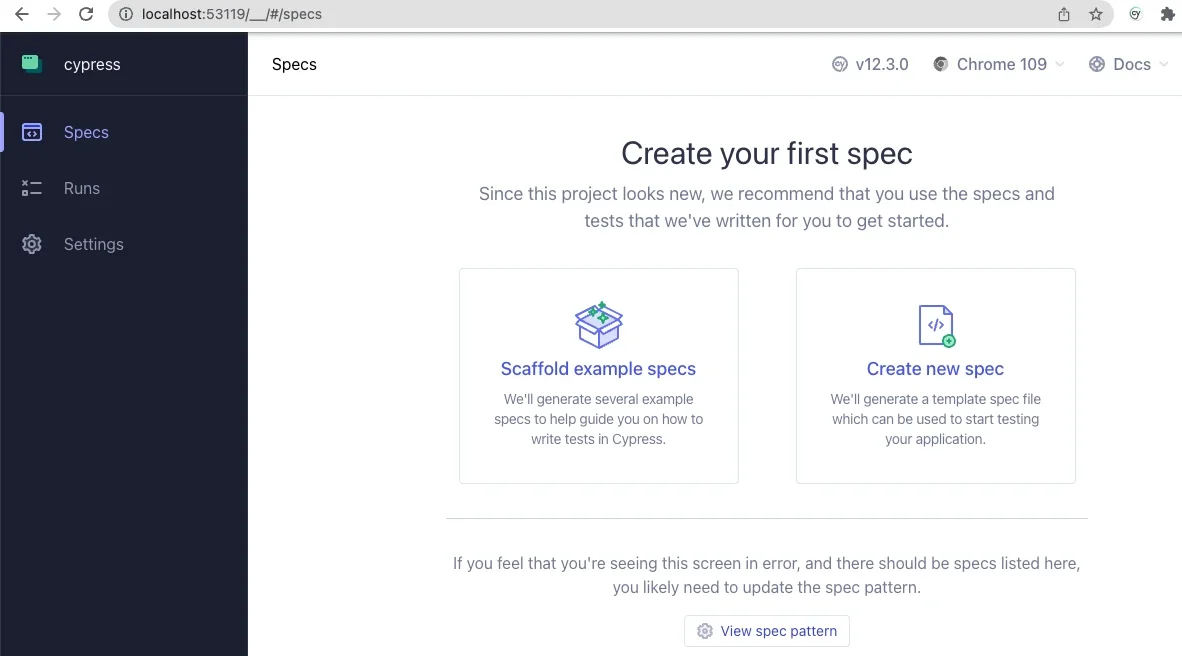
In a separate window, a browser opens to the Create your first spec page:
Click on the Scaffold example specs button to create a couple of new folders with example specs to help you understand how to use Cypress. Read through these in your code editor, and you'll likely find the language (based on JavaScript) intuitive and easy to follow.
Click on any in the test browser. This reveals two panels. On the left, a text panel shows each step in the active spec. On the right, a simulated browser window shows the actual user experience as Cypress steps through the spec.
Source: Opensource.com
