Tools: Show Hn: Itsyhome – Control Homekit From Your Mac Menu Bar (open...
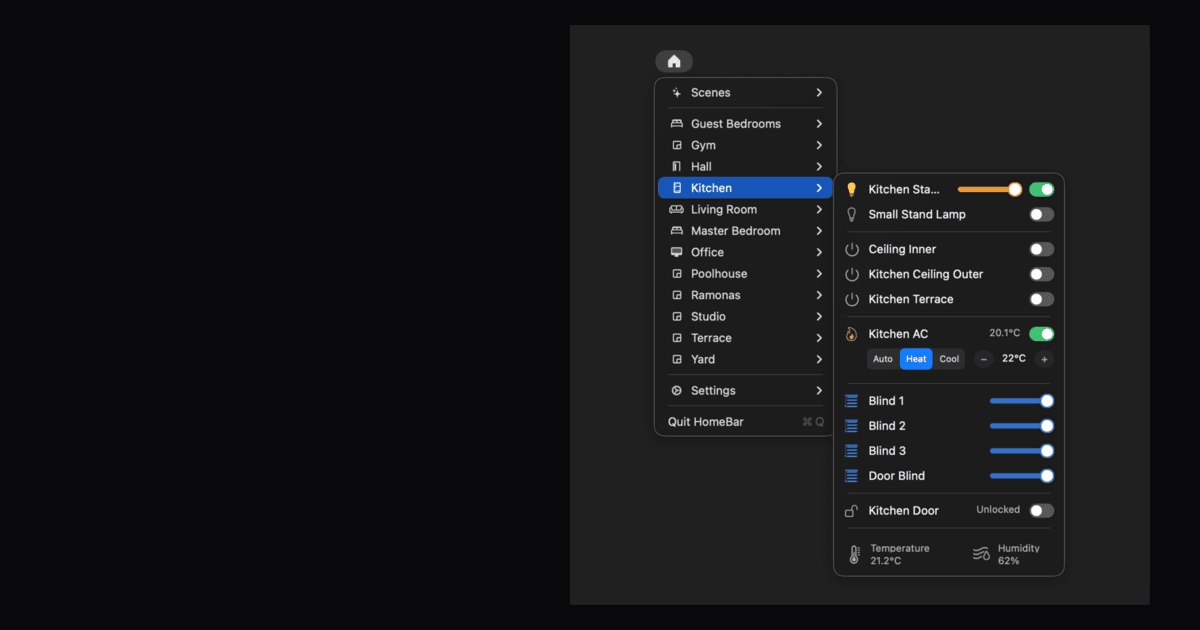
Your entire smart home in the macOS menu bar. Cameras, lights, thermostats, locks, and more – just one click away.
Built with AppKit and Swift from the ground up — no Electron, no web views. Itsyhome uses virtually no CPU or memory while idle and launches instantly. It’s a true macOS citizen that feels right at home next to your other menu bar apps.
Control multiple accessories with one click. Create groups like "All living room lights" or "Downstairs blinds" and adjust them together. Perfect for managing entire rooms or zones without tapping each device individually.
Pin your most-used rooms, accessories, scenes, or groups directly to the menu bar for instant one-click access. No need to dig through menus — your essentials are always front and center, right where you need them.
Manage all your HomeKit homes from one place. Switch between your house, vacation home, or office instantly. Each home keeps its own rooms, accessories, and scenes neatly separated so nothing gets mixed up.
Pin your most-used accessories and scenes to the top of the list for instant access. Drag to reorder them exactly how you like. Your favourites stay synced across all your devices via iCloud, so your setup follows you everywhere.
Keep your menu clean and focused by hiding accessories, scenes, or entire rooms you don’t need to see. They’re still fully functional in HomeKit — just out of your way until you need them again.
Assign global keyboard shortcuts to your favourite devices and scenes. Toggle lights, lock doors, or trigger scenes without lifting your hands off the keyboard. Works system-wide, even when Itsyhome isn’t focused.
Control your Apple TV directly from the macOS menu bar with Itsytv — a native remote with trackpad navigation, app launcher, and now-playing controls. Pair multiple Apple TVs and switch between them instantly.
“This is legitimately incredible. Installed immediately, worked as promised, upgraded to pro! Love it!”
Source: HackerNews
